Audio Effect Plugin · 2021
Mono Doubler
A REAPER plugin that turns a mono source into a wide, double-tracked stereo image using delay, tremolo and distortion.
Introduction
Mono Doubler is based on double tracking: recording the same part twice and panning the two takes left and right to make a sound wider and fuller. The plugin produces that effect from a single recording. It sums the input to mono, sends the dry signal to one channel and a delayed copy to the other, then lets each side be shaped separately with gain, tremolo and distortion.
Role & contribution
Concept, DSP design and JSFX programming, testing and written analysis. Developed for the Audio Signals module of the MA in Music Production at the University of York.
Tools & technologies
Process
Creative
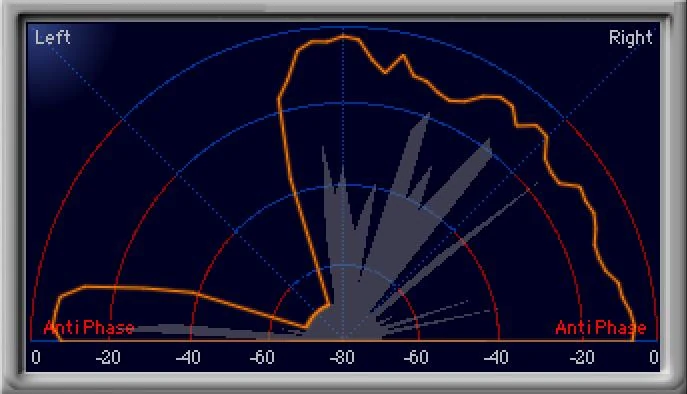
Real double tracking works well but costs time: retakes, editing and fixing timing, and performers find it hard to play the same line twice. Duplicating a signal onto both sides is not enough on its own, because two identical copies fuse into one sound. Mono Doubler makes the two sides similar but distinct, so they read as two takes. In use it made vocal choruses sound more powerful, gave synths new tones, and made drums and percussion sound more rhythmic and live.
Technical
- L + R summed to mono
- Dry to one side, delayed copy (0–50 ms) to the other
- Tremolo: sine left, cosine right
- Gain per side
- Distortion per side
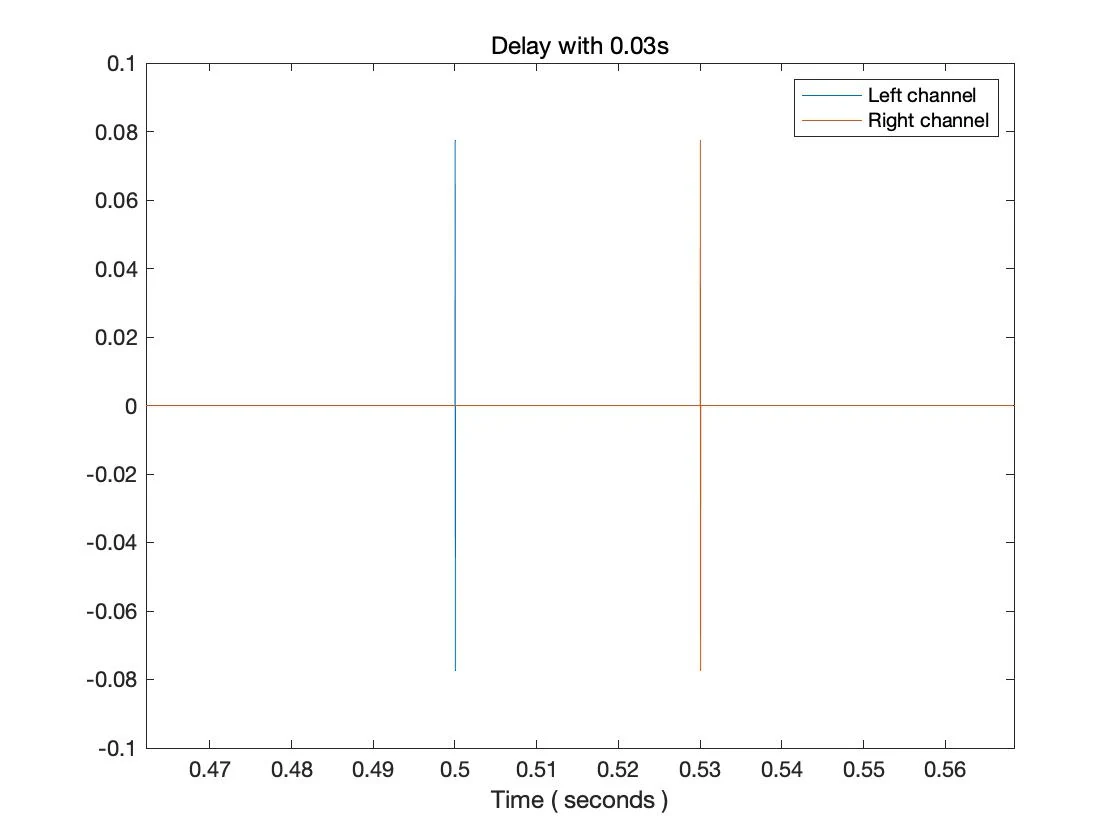
Delay. Both inputs are summed to mono before the delay, so the plugin also fixes a common recording mistake: a mono source recorded onto one side of a stereo track. A Left/Right switch sets which side carries the dry signal; the other carries a copy delayed by 0 to 50 ms, a range in which the ear still fuses the two into one sound. Impulse tests measured 30 ms and 40 ms offsets exactly as set.
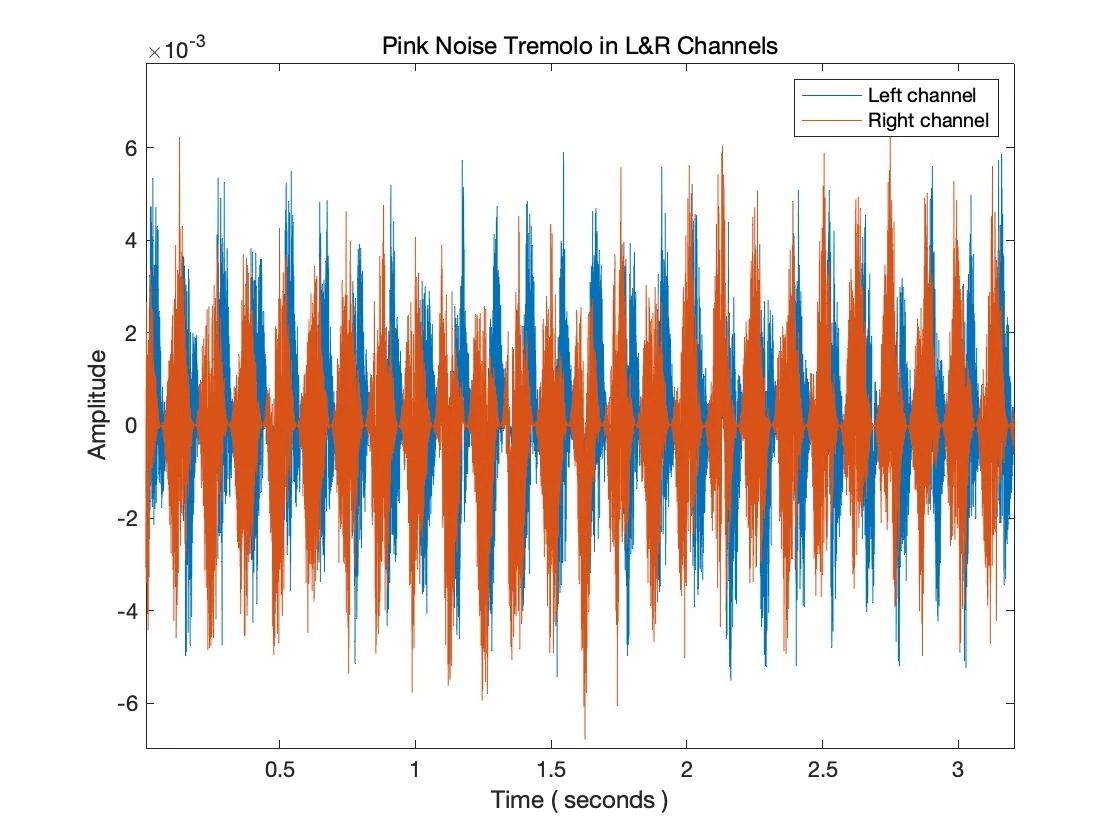
Tremolo. One rate control drives both sides, with a separate depth for each. The left channel follows a sine and the right a cosine, so even at identical settings the two sides rise and fall alternately.
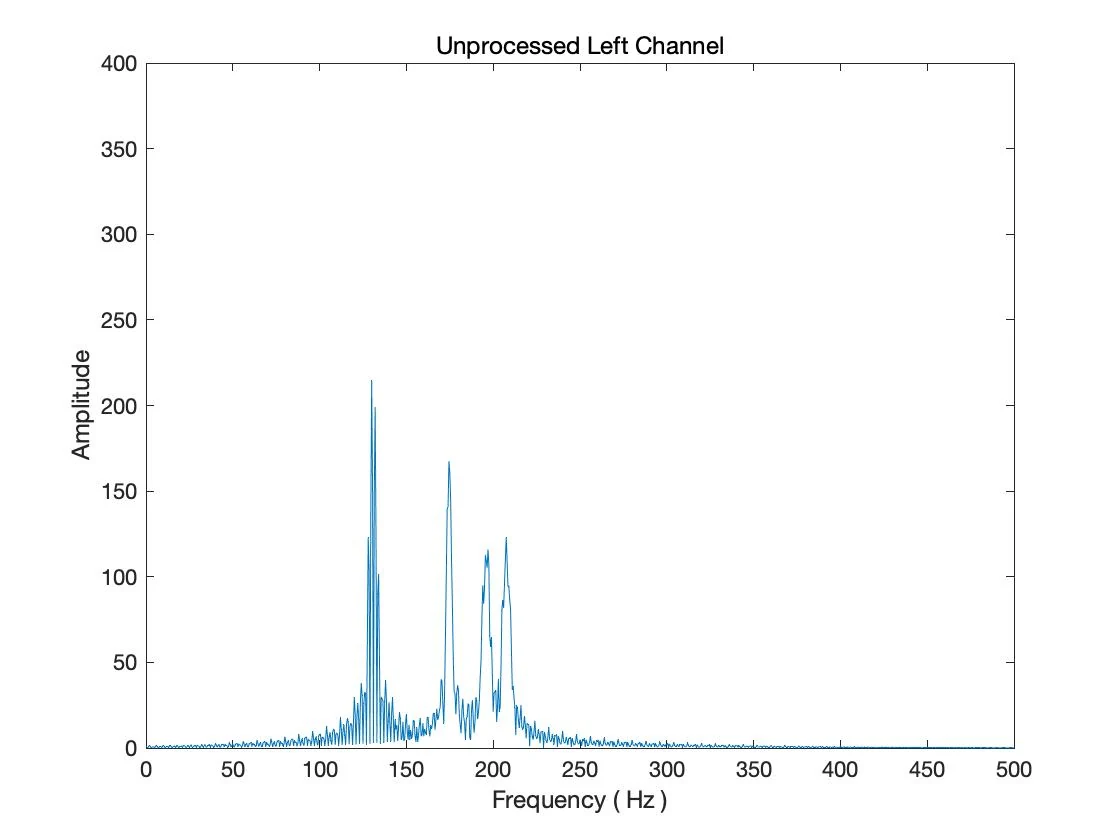
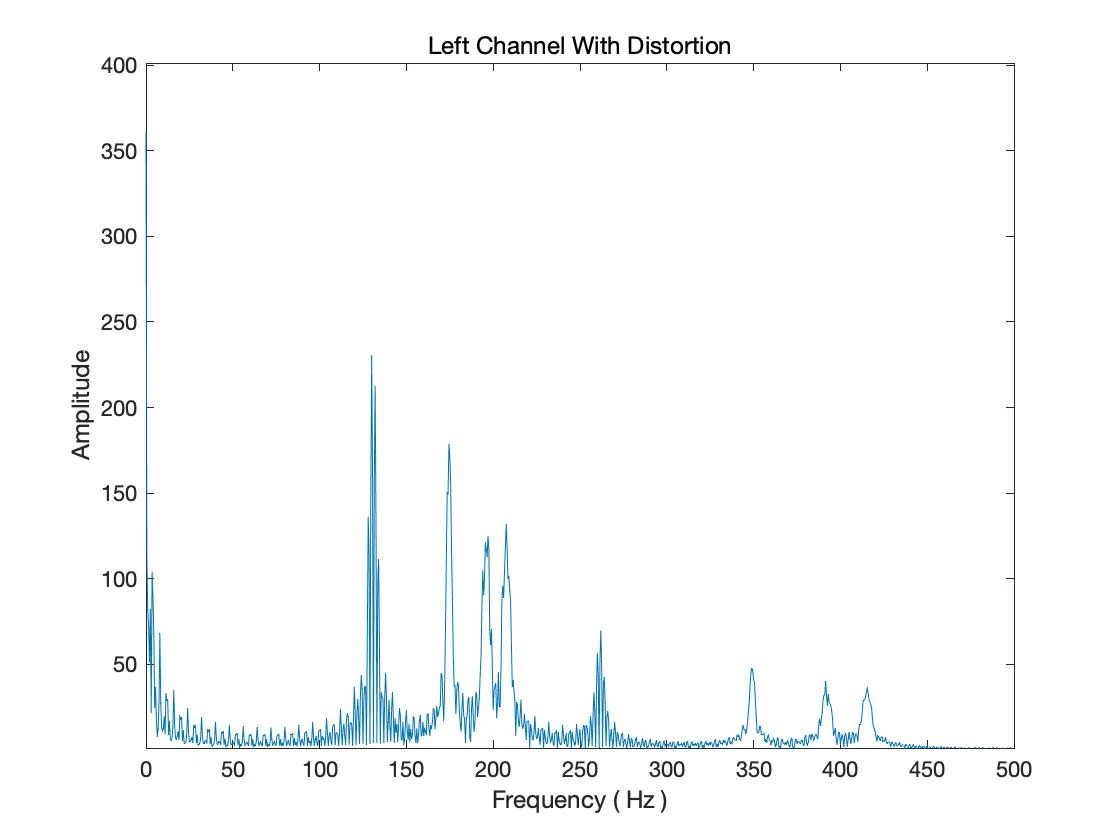
Distortion. Each side adds its own squared, cubed and fourth-power terms of the signal. On a synth test this added four new components between 230 and 430 Hz. The even-order terms also introduce a DC offset: inaudible, but a known flaw in this version.
Controls
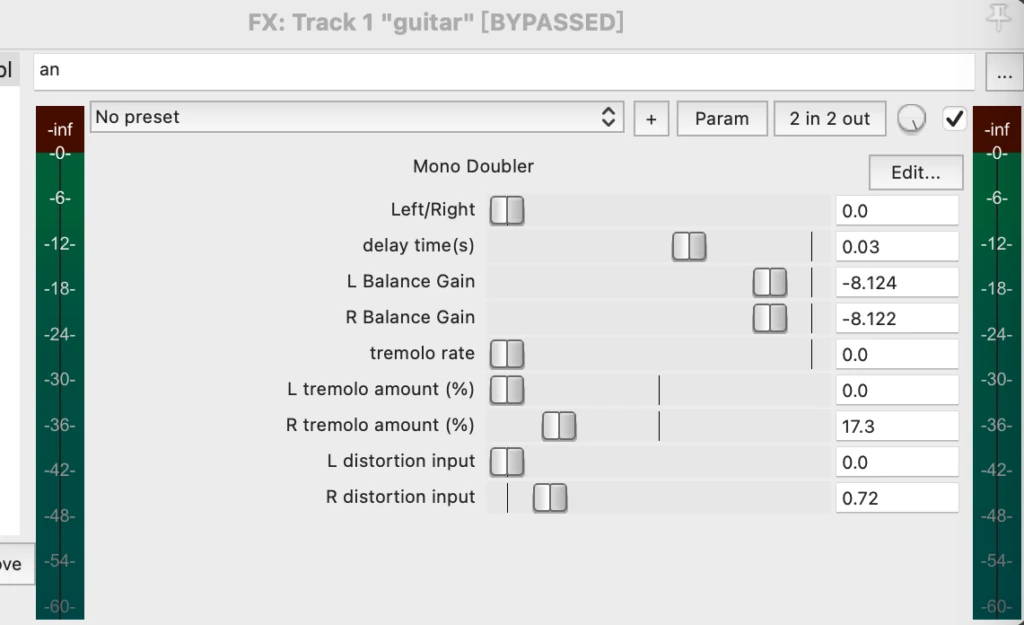
| Control | Range | What it does |
|---|---|---|
| Left/Right | 0 / 1 | Which channel carries the dry signal |
| Delay time | 0–50 ms | Offset between the dry and delayed sides |
| L / R balance gain | −60 to 0 dB | Level of each side |
| Tremolo rate | 0–20 Hz | Shared rate: sine on the left, cosine on the right |
| L / R tremolo amount | 0–100 % | Tremolo depth on each side |
| L / R distortion input | 0–5 | Amount of added harmonics on each side |
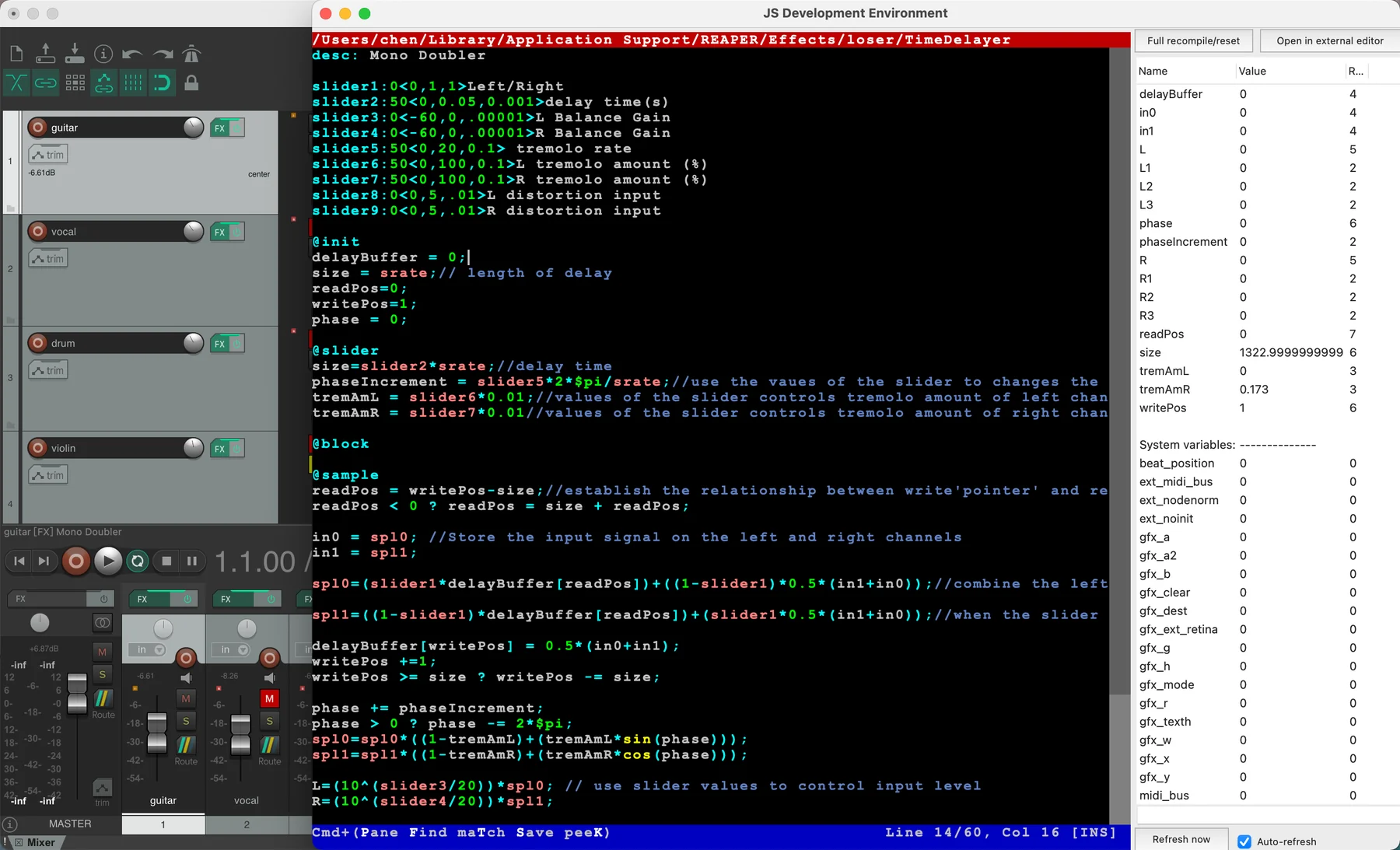
JSFX source · 60 lines
desc: Mono Doubler

slider1:0<0,1,1>Left/Right
slider2:50<0,0.05,0.001>delay time(s)
slider3:0<-60,0,.00001>L Balance Gain
slider4:0<-60,0,.00001>R Balance Gain
slider5:50<0,20,0.1> tremolo rate
slider6:50<0,100,0.1>L tremolo amount (%)
slider7:50<0,100,0.1>R tremolo amount (%)
slider8:0<0,5,.01>L distortion input
slider9:0<0,5,.01>R distortion input

@init
delayBuffer = 0;
size = srate;// length of delay
readPos=0;
writePos=1;
phase = 0;

@slider
size=slider2*srate;//delay time
phaseIncrement = slider5*2*$pi/srate;//use the vaues of the slider to changes the rate of wave's phase increment
tremAmL = slider6*0.01;//values of the slider controls tremolo amount of left channel
tremAmR = slider7*0.01//values of the slider controls tremolo amount of right channel

@block

@sample
readPos = writePos-size;//establish the relationship between write'pointer' and read 'pointer'
readPos < 0 ? readPos = size + readPos;

in0 = spl0; //Store the input signal on the left and right channels
in1 = spl1;

spl0=(slider1*delayBuffer[readPos])+((1-slider1)*0.5*(in1+in0));//combine the left and right channels and put them into delay,use one slider to set up an oppisite delay

spl1=((1-slider1)*delayBuffer[readPos])+(slider1*0.5*(in1+in0));//when the slider is on the 'Left', the value is 0, so the dry signal outputs in the left channel, and the delayed signal will be output in the right channel. On contrary, when the slider is on the 'Right', the value is 1, so the dry signal outputs in the right channel, and the delayed signal will be output in the left channel.

delayBuffer[writePos] = 0.5*(in0+in1);
writePos +=1;
writePos >= size ? writePos -= size;

phase += phaseIncrement;
phase > 0 ? phase -= 2*$pi;
spl0=spl0*((1-tremAmL)+(tremAmL*sin(phase)));
spl1=spl1*((1-tremAmR)+(tremAmR*cos(phase)));

L=(10^(slider3/20))*spl0; // use slider values to control input level
R=(10^(slider4/20))*spl1;

L1=slider8*(L^2);//the signal in the left and right channel square a positive number to introduce new components in the frequencies.
R1=slider9*(R^2);//two sliders control the distortion amount of left and right channels
L2=slider8*(L^3);
R2=slider9*(R^3);

L3=slider8*(L^4);
R3=slider9*(R^4);

spl0=L+L1+L2+L3;//output the original signal and distored signals together
spl1=R+R1+R2+R3;
Testing & analysis
Demonstrations
Guitar
0:00Vocal
0:00Synth
0:00Drums
0:00Fixing a one-sided recording
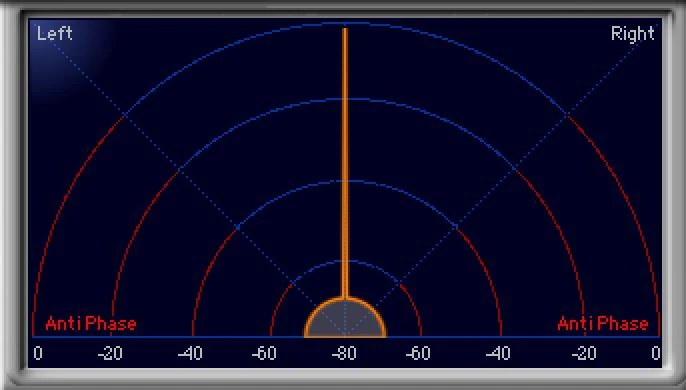
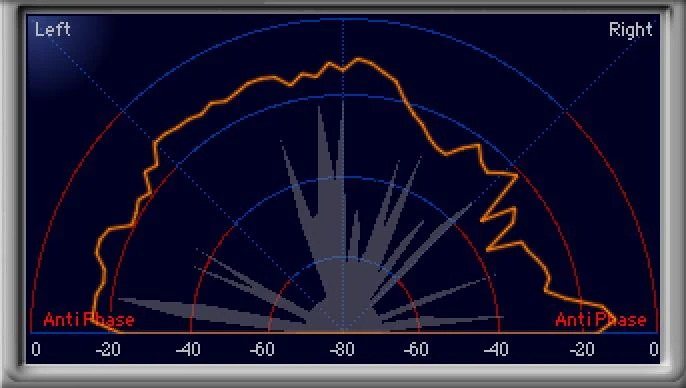
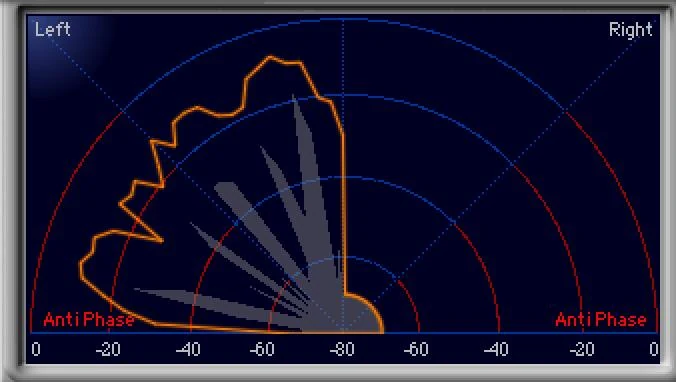
0:00A mono part recorded onto the left channel only, spread across both channels.
Outcome & presentations
- Developed and assessed for the Audio Signals module, MA Music Production, University of York.